

Method · November 2026 · free to read
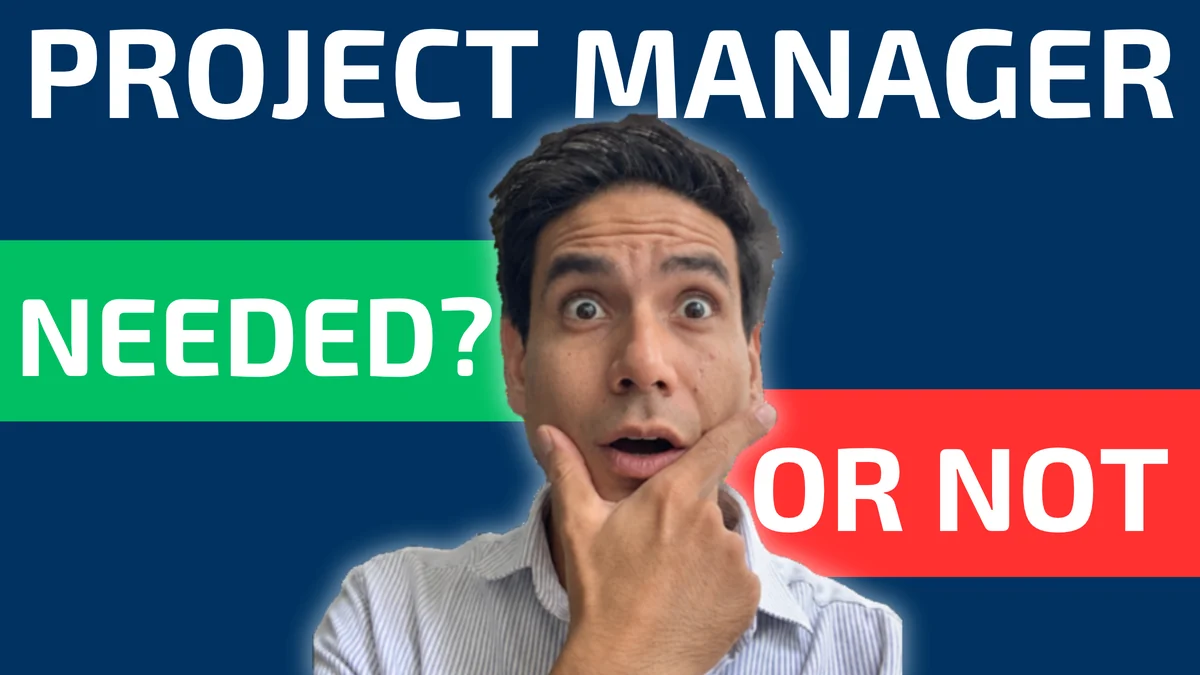
You pay a project manager and you can’t quite see what they bring you? You’re wondering whether to hire one? Don’t wait for a thirty-day audit to find out: take the café terrace test©. It’s the best method I know to find out whether your project manager is worth it, and why you need one.
The café terrace test© is ten questions every business owner should be able to ask as soon as they hand a project to a team. The team must be able to answer each one in under thirty seconds. Not after a meeting, not tomorrow morning: in the time it takes to drink a coffee on a café terrace.
If the answer doesn’t come, don’t look for someone to blame. An answer that takes too long means a tool, a rule or a role is missing from the way the project is run. I go through each question in detail: what to put in place to answer it in thirty seconds, and why the question matters.
Putting all of this in place, then keeping it up to date week after week, is exactly a project manager’s job. If you have one and the answers don’t come, you now know what to ask them. If you don’t have one, someone is doing this work without knowing it: often you, in the evening, once the business finally goes quiet.
I run development teams in Vietnam for French companies, from Đà Nẵng. These ten questions come from the field: I found them on Odoo rollouts, on every Notion project, and even in my hostel in Ho Chi Minh City. In the video, I take the test in front of you, against the clock, on a demo project.
The 10 questions of the café terrace test©
How it works: you ask your team these ten questions, or you open your tools yourself, with no meeting and without messaging anyone. Each answer must come in under thirty seconds. The clock only counts the time spent looking, not the time spent reading the question. Three rules make the difference:
- One page only. If the answer sits in two tools, it doesn’t count: pick one.
- An answer is a number or two dates. “Nine tasks.” “Planned for November 13, now expected December 4.” Not a paragraph.
- If you have to calculate or click everywhere, the view is badly built. Simplify it, rebuild it.
- 1DeliveredWhat was delivered this week?
- 2DeliveredHas what was delivered been tested?
- 3In progressWhat is in progress?
- 4In progressWho is handling each task in progress?
- 5Your decisionsWhat is waiting for a decision from you?
- 6Your decisionsWhich decision needs an answer first?
- 7MilestonesIs the next delivery on time? If not, why?
- 8MilestonesIs the end date holding? If not, why?
- 9Out of scopeWhat has been added to the project since the start?
- 10Out of scopeHow much do these additions cost?
Ten answers in under thirty seconds each? Your project is under control. Some missing? Click the question: I’ll tell you what to put in place.
Question 1: what was delivered this week?
Without a tool, you have to go back through every task, every conversation, everything that was done. That isn't easy. If you don't have a task system, you're off to a bad start for getting even the list of what was done this week. And even if your team takes the time to answer, you still need to be able to check it.
To answer in thirty seconds: a status on every task, and a date on every status change. Everything your team has to do, has done or has dropped carries a status. Every move from one status to another is dated: you know when a task was created, when it moved to complete, when it was cancelled. A view filtered on “complete since Monday” gives you the answer.
Why this question matters: it gives you the project's progress, every week. You know what the teams are doing, and you can decide with them what next week looks like: should they focus on other tasks, are there urgent items to go after and list? From there, you plan the following week, then the one after. You can correct progress that is too slow, or simply a direction: if what has been done doesn't satisfy you, you change the planned actions, so the project moves at the pace you set yourself.
It also gives you your team's productivity: how many tasks it delivers each week. From that you get its production capacity, and what a task costs. It's the basis for controlling your budget, and you'll need it for questions 8 and 10.
In the video, on the demo project: nine tasks delivered this week.
Question 2: has what was delivered been tested?
To answer in thirty seconds, you need a reviewer: someone who checks that each task is done, and done well. If that's you, all the better: it takes your time, but you're sure of the result. You also need a validation status between “done” and “complete”. The team has finished the task, a lead reviews and validates it, and only then does it move to complete.
Without a project management tool, it happens by message: “Boss, I did the task, it's in the Drive.” The message lands in the middle of Wednesday, between two meetings. You don't have time to check, you reply “Thanks, I'll take a look”, and you forget. The next week, you remember and scroll back up the conversation. If it was in a group chat, other topics have gone by in the meantime, and you can't find the document anymore. So you call, or you write: “By the way, where's that task?” You interrupt them in what they're doing now: that's where you start losing time and losing track of where things are.
With a system, set aside Monday morning, for example, to test everything delivered the previous week. When the team starts its week, everything is validated, or sent back with your change requests. And no task stays “supposedly done” without being validated. A good developer will show you on their own how they handle and check a task: it's one of the criteria for choosing your developer in the age of AI.
In the video: six tasks tested, three still waiting for the client to test them.
Question 3: what is in progress?
To answer in thirty seconds: a single view for everything between “to do” and “complete”. Analysis, development, review, client testing: every production status, in one place.
Why this question matters: this is where you can still act. You see what people are doing, or about to do, and what's on the schedule. If previous deliveries didn't satisfy you, this is where you step in: plan, postpone, prioritize among everything in progress. So that at the end of the week, when you check, what's delivered is what you really needed, and the project's progress satisfies you. Question 1 looks at what's done, question 3 at what's about to be.
In the video: four tasks in progress.
Question 4: who is handling each task in progress?
To answer in thirty seconds: one owner per task, and a view grouped by person. Once tasks are planned, prioritized and visible, every line carries a name. You know exactly who does what: that's the foundation of clarity.
Without it, some tasks are bound to fall by the wayside, on purpose or not. And behind that, management and team spirit problems set in. When nobody knows who does what, people spend their time turning against each other instead of working together. Everyone needs to know clearly which territory is theirs, and which tasks they answer for.
Why this question matters: it lets you help, not watch. When you know who does what, you see who is stuck. When you talk to someone, open the list filtered on their name: you see what they're doing, and if they're stuck, you can unblock them. Maybe they're dragging their feet on a task they're unsure about, and it isn't necessarily their fault: they need help and don't dare ask for it. That's where a real team dynamic takes hold. It's not a surveillance tool: this question exists to help your people move forward.
In the video: one task each for Minh, Linh, Huy and Thảo.
Question 5: what is waiting for a decision from you?
Here, the bottleneck is you. Every task assigned to you is waiting for something from you. Either at the start: something is about to begin, and it needs your green light. Or at the end of the cycle: it's done, and you need to check it, or hand it on to others. Your role as the business owner is to know when a task is ready, so you can pass the ball to the right person.
A simple example. On a tech project, a developer sets up the tool that lets you create sales pages. They won't be the one creating the pages. But you can't put your sales team on a war footing until it's possible. As soon as it's ready, you need to know, so you can pass the ball to the salespeople.
To answer in thirty seconds: a “Your decisions” view, with the tasks assigned to you. And if you're smart, you create the same view for every person on the team: each one sees only the tasks they're responsible for, and in turn plays that decision-maker role on their own tasks. With AI, the developer who waits to be told what to do is disappearing, by the way: I explain why in my research report on AI and offshoring in Vietnam (in French).
Remember this: a task is only assigned to someone for a while. Once their step is done, it changes owner: the next person picks it up in the status that's theirs, then passes it on, until the task is complete.
In the video: the answer is the whole view, every task in it is waiting for a decision.
Question 6: which decision needs an answer first?
It follows from question 5. You know who does what and what's waiting for a decision from you. What's left is knowing where to start. To answer in thirty seconds: a priority field on every task, and the view sorted by it. If ten tasks are waiting for your decision and you can only handle one or two today, the view tells you which one is most urgent.
Why this question matters: a decision that waits blocks the whole chain behind it. The developer waits, testing waits, delivery waits, and it's often what makes the end date slip.
In the video: at the top of the list, at very high priority, approve the café area mock-up. Remember it, it comes back in question 8.
Question 7: is the next delivery on time? If not, why?
Depending on the project, this question is somewhat optional, but you need to know when the next batch of tasks will be delivered. In a tech project, you sometimes deliver at set times so as not to disrupt users. Elsewhere, it's when you review a group of tasks together: for a marketing campaign, a number of tasks need to be ready at the same time. These stages are called milestones: a milestone is a stage of the project.
To answer in thirty seconds: a milestones view, showing for each one its date, its progress and whether it's on time. You anticipate the date, or the moment, when you'll check each milestone. If you deliver continuously, with no milestones, the question becomes: what ships next?
In the video: the “bookings and payments” milestone, due November 19, 56% complete, on time.
Question 8: is the end date holding? If not, why?
You set the end date before you start: you know when you launch the project and when you must finish it. Every week, based on progress and what's happening in the team, you need to know whether you'll be on time. Without a task management system, that's laborious work.
With a system, the math is simple. You know how many tasks have been completed so far. Divide that by the number of team members and by the number of working days: you know how long a task takes. Apply that pace to the tasks left, and you know whether the end date holds. For example, three people who finished 120 tasks in 40 days do one task per person per day. If 90 are left, they need another 30 working days: if the end is planned in 20 days, it won't hold.
Keep both dates, the planned one and the new one, with the reason for the change. It's the indicator that lets you anticipate your launch and go-live dates.
In the video: planned for November 13, the end date won't hold. The mock-up from question 6 has been waiting for approval for six days, and the date moves to December 4.
Question 9: what has been added to the project since the start?
It happens all the time: things don't go as planned, so you add, you fix, you adjust. And every addition has a cost.
To answer in thirty seconds: label every task, done, in progress or planned, “in scope” or “out of scope”. Everything that wasn't planned at the start shows up right away.
Sometimes an out-of-scope task is necessary: you have no choice. Do it, but knowingly, and work out the delay it causes. When you work on one task, you're not working on another: everything that wasn't planned takes the place of what was.
In the video: twelve tasks added, eight of them already done.
Question 10: how much do these additions cost?
Time can be measured, and that time has a cost. To answer in thirty seconds: take your team's pace, measured in question 1, and put a number of days on the additions. You don't have to show it to the whole team: you may not want to display everyone's salary, or what their hour costs. Use an arbitrary cost, or a cost in time, and convert it yourself, on a separate dashboard if needed. In a business, time converts easily into money. What matters is seeing it.
Then compare it with your budget for the unexpected. Most companies plan one. If you didn't have one and the additions cost you delays, you're the one who pays the consequences.
In the video: eight additions done, at half a day each, so four days taken from the plan.
30 seconds, 30 minutes, 3 hours or 3 days: what your time tells you
Your time doesn't tell you whether the project is going well. It tells you whether you know where it stands, and where you had to look tells you what you're missing: nothing, a system, a role or a pilot. I go through it group by group in the video, with my hostel in Ho Chi Minh City, an ERP rolled out remotely and a client in Hong Kong.
And you, how long did it take you? Tell me in the comments.
Has your coffee gone cold? Let's take 45 minutes
We take the café terrace test© together, on your project. This time, you show me where the information is, or where it doesn't exist. Depending on what's missing and your budget, my answer won't be the same: sometimes a system is enough, sometimes I back up your project manager, sometimes I run the project myself, as with Offshore Under Control. And if you don't need me, I'll tell you.
Not ready for a call? The free guide, “Take back control of your tech project in Vietnam”, walks through the method step by step.
Leave a Reply